
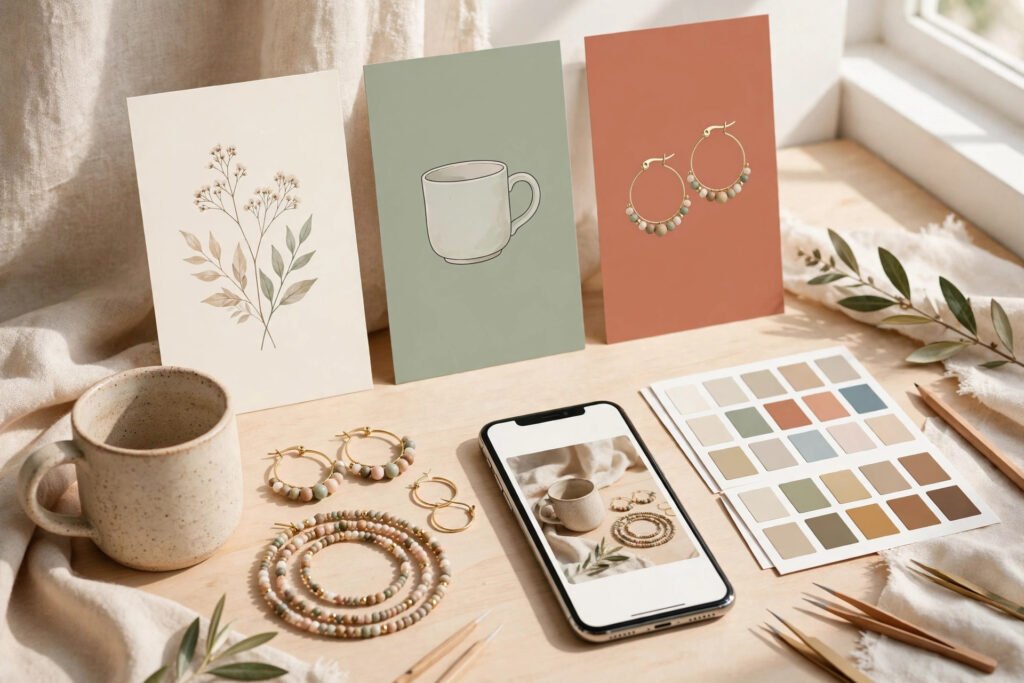
Pinterest Pin Design for Etsy Listings: A Practical Pinterest Workflow
Pinterest pin design for Etsy listings starts with a simple truth: a strong Etsy listing does not automatically make a strong Pinterest pin. On Etsy, a shopper is already comparing products. On Pinterest, a person is scrolling quickly, saving ideas, and planning purchases for later. Your pin has about two seconds to answer three questions: what is this, who is it for, and why should I click? A pin is therefore not a copy of your first listing photo. It is a purpose-built image that shows the product and gives a reason to visit the listing, within a wider approach to Pinterest marketing for Etsy sellers.
Table of Contents
Start With One Listing and One Promise
Choose one listing, then choose one promise for that pin: a use, a recipient, an occasion, or a problem solved. A candle pin could promise a calm evening routine, a gift for a new homeowner, or a scent for a reading nook. Each promise points to a different image and headline, even when the product is the same. This focus also makes testing easier.
If a pin tries to say everything — handmade, personalised, gift-ready, and eco-friendly — the viewer remembers nothing. Before designing, write three short lines: the product in plain words, the person it is for, and the single benefit or occasion to feature. If you cannot write each line in one sentence, clarify the listing first. Starting with one promise keeps Pinterest pin design for Etsy listings focused and testable.
Choose the Size and Format First
For Pinterest pin design for Etsy listings, Pinterest is a vertical, mobile-first feed. A tall pin takes up more screen space than a square or horizontal image, and it is easier to read without tapping to enlarge it. Use a 2:3 ratio, most commonly 1000 by 1500 pixels, as your standard pin size. Export photographs as JPG files, and use PNG files when you need crisp text or graphic elements.
Build a template at that size first, with safe margins around the edges so text and product details are not cut off on different phones, and your shop name in a small, consistent position. Do not stretch a square Etsy photo to fill a vertical frame. Rebuild the composition instead: place the product as the hero, add breathing room above or below it, and use that space for a short headline or a clean background colour.
Make One Product the Hero
A pin should feature one product, not a catalogue. When several items compete for attention, the viewer has to work out what to click for, and most will simply scroll past. Choose the best angle or the most appealing version, and let other items wait for their own pins.
Keep the composition simple: put the product where the eye lands first, and keep the background simple enough that the product stands out. A styled background can help — a mug on a desk, earrings on a plain surface — but props should support the product, not hide it. Use bright, clean colours close to the product itself. A single hero also makes Pinterest pin design for Etsy listings easier to read at a glance.
Write a Text Overlay That Helps
Text overlay is useful when it adds information the image alone cannot give: what the product is, who it is for, or when to use it. It is not useful when it repeats what is already obvious, covers the product, or turns the pin into a poster. Keep the overlay short, ideally five to eight words a person can read at a glance, such as a product name plus an occasion or benefit.
Use a large, plain font with strong contrast: light text needs a dark background or solid panel behind it, and dark text needs a light, uncluttered area. Avoid thin script fonts for the main headline, because they often blur into the image on a phone. Place the text where it does not fight the product, leave space between the text and the edge, and do not place key words over busy patterns. Finally, check that the overlay matches the listing it links to. Good Pinterest pin design for Etsy listings keeps that overlay readable at a glance on a phone screen.
Use Good Photographs, Not Just Good Graphics
Design cannot rescue a poor photograph. Start with a sharp, well-lit image that shows true colours and clear detail. Natural light, a clean background, and a steady camera will usually beat a heavily filtered image.
If texture, detail, or scale matters — the weave of a basket, the clasp of a bracelet, the size of a print beside a common object — show it in at least one variation. Edit for consistency: adjust brightness and colour so all the pins for one listing look like they belong together, and so the product on Pinterest looks like the product a buyer receives. Avoid misleading filters. If you sell a digital product, show it in use or in context, such as a planner page on a tablet or a printable displayed in a frame. For Pinterest pin design for Etsy listings, consistent, honest photographs build trust before a buyer clicks.
A Repeatable Pinterest Pin Design for Etsy Listings Workflow
For Pinterest pin design for Etsy listings, a workflow saves time and keeps quality steady across many listings. Work through your catalogue in priority order — best sellers first, then new listings, then the rest.
For each listing, follow the same steps: write the one-sentence product, audience, and promise; choose the hero photograph and layout for a 2:3 pin; write a short headline and check it at phone size; add your shop name in the same small position as your other pins; export the pin, then check the image, headline, and linked listing together; and write a pin title and description that match the pin and the listing, using the words a buyer would search for. That last step connects design to search.
This is where keyword research for Etsy listings helps: it gives you the phrases buyers already use, so your headline, title, and description point in the same direction. Keep two or three reusable layouts — hero product, lifestyle, and detail — so you spend less time on sizing. That repeatable rhythm is what makes Pinterest pin design for Etsy listings sustainable across a whole catalogue.
Create Variations for One Listing
In Pinterest pin design for Etsy listings, one listing deserves more than one pin. Different buyers respond to different angles, and Pinterest treats each pin as a separate chance to appear in search. Aim for three to five variations per listing, released over time rather than all at once, so you can compare results.
Useful variations include a hero product pin, a lifestyle pin showing the product in use, a detail pin showing texture or personalisation, and an occasion pin framing the product for a gift or season, when that framing is honest. Change the headline and image for each variation, not just the background colour. If two pins look almost identical, they compete without teaching you anything. Do not create variations that mislead.
Test What to Change First
In Pinterest pin design for Etsy listings, when a pin underperforms, change one thing at a time: the headline, the hero image, or the audience angle. If you change all three at once, you will not know which change helped. Start with the headline and hero image, because those are what a viewer sees first. If a pin gets saves but few outbound clicks, the image may be appealing while the message or listing match is unclear.
Check whether the pin title, description, and listing page make the next step obvious. If a pin gets almost no saves or clicks, a different variation may be a better test than a small tweak to the same design. Give pins time before judging them, as Pinterest traffic often builds slowly. Review results in Pinterest analytics for Etsy sellers, focusing on outbound clicks to Etsy and saves, rather than impressions alone.
Common Mistakes to Avoid
Most weak pins share fixable problems: too much text, so the product disappears; a square photo stretched into a vertical frame; several products in one pin, with no clear item to click for; low-contrast text unreadable on a phone; a headline that promises something the listing does not deliver; a different style on every pin, so the shop never becomes recognisable; and no clear next step, because the pin title and description do not match the listing.
Fix the product focus and headline first, then the layout, then the smaller details. Avoiding these mistakes is a simple way to improve Pinterest pin design for Etsy listings without redesigning every pin.
Frequently Asked Questions
How many pins should I make for one Etsy listing?
Three to five variations is a practical starting point. Each should differ in image, headline, or angle, and should be published over time so you can compare results rather than flooding the feed with near-identical pins. Each variation should still follow Pinterest pin design for Etsy listings best practice: one product, one promise, and readable text.
What should I fix first if a pin is not getting clicks?
Check the headline and hero image first, then the match between the pin and the listing. A clear product, a short benefit-led headline, and a listing page that delivers on that headline are the foundation. That check is a quick Pinterest pin design for Etsy listings audit before you change anything else.
A Simple Rule for Better Pins
Good Pinterest pin design for Etsy listings is not about making the most decorative image. It is about making the clearest one: one product, one promise, and readable text. Design each pin for a phone screen and test one change at a time. That discipline also supports Etsy listing SEO, because traffic that arrives with a clear expectation is more likely to stay, browse, and buy.